Showing posts with label Computer. Show all posts

Wednesday, May 29, 2013

By The Way I'm Mowing My Lawn


I Don't think anyone realizes how fantastic 2013 really is! The only thing missing is a FTL drive and that just might be around the corner.

Remember those little writing pads the crews in Star Trek would walk around with, or bulky clipboard for all you Classic Trek fans? Well I got one, It's an iPad Mini.

Remember when Worf needed a new backbone and they grew one for him? Well, we are now at the point where we can grow kidneys, use cadaver bone for repairs, or regenerate shattered bone.

And those greasy fast computers on the starship?  You can now buy a quantum computer from D-wave.

How Fucking cool is that?!?

Good Thing! we don't have true Holodeck technology, Because that would end the human race.  Do you remember LaForge lost in romance or Lister hanging out with the bad girl in the trashy detective novel?  Maybe it's just me but if you give me a magic box where I could spend all day with (and the List is Long Folks): Handfuls of Movie Starlets, Several Porn Stars, Many High School sweethearts, A Plethora College Crushes, and Too numerous to count Random hot women I've met on the street and who would not give me the time of day!

Yeah go ahead and use your quantum computer for speech recognition, code breaking, and breakthroughs in Astrophysics.  Mine is providing the best 3d, five senses, experience with the women of my dreams and nightmares.  Yes!  I'm 48 and I'm that shallow.

Of Course, the clean up of my personal holosuite is a bit of a chore.

Tuesday, August 03, 2010

I've been pining for an Amiga 3000 for years.  When they first came out I wanted one!  Two Megs of Ram, 25 Mhz 68030 proccessor, Hires color graphics I was in Heaven.  In 1990, the Amiga 3000 had a $4000 price tag and only ran a limited amount of software, but I didn't care.

Time jump to 2010, The College I work at is throwing their Amiga 3000 away.  Yippie!  I've been waiting for this for years.  The college's video production studio finally upgraded to a Macintosh, so  I get this computer before it goes to the trash heap. 

Computer are the only thing that goes to pennies in 20 years.  So much, a computer is the only piece of equipment that falls off the inventory roll faster than toilet paper, because the value practilly disappears overnight.   A 20 year old car is a classic.  A 20 year old computer is a doorstop.  Unless you are a geek like me and you think old computer are like living museum pieces. 

The fun parts is I can tinker with it.   Just like my neighbor who spends his hours working in his garage on his classic corvette.  I need to start comb EBay for spare parts.  :)

Sunday, May 30, 2010

Amanda's Back!

My AMD Goddess has been resurrected with more memory, a new hard drive and and a copy of Window 7.  It's looks like everything has final taken and that pesky Blue Screen of Death has taken a holiday.  I do realize that Amanda may be on her last legs here.  I don't think her motherboard is design with 2 GB DIMMs or higher.  That limits her to 4 GB of Ram. Only 2.75 GB of that is usable now, due to issues we have already talked about.  Amanda does seems to be happier in the 64 bit world.   The whole project was only $250, about fifty dollar shy of my first estimate, so it's all good.

Parts list:
1.  Microsoft Windows 7 Home Premium Upgrade

2. Western Digital 500 GB Caviar Black SATA 7200 RPM 32 MB Cache Bulk/OEM Desktop Hard Drive WD5001AALS

3. Axiom - Memory - 1 GB - DIMM 240-pin - DDR2 - 400 MHz / PC2-3200 - CL3 - 1.8 V - registered - ECC

Saturday, May 22, 2010

Amanda has Alzheimer's: A Building the Perfect Beast Postscript.
Amanda (My AMD Duo Core Goddess) has been having a problem. She tend to forget where she puts things. This is understandable since she is over 4 years old. Last time I had the blue screen of death Amanda had a bad memory DIMM. The fix was pulling the 512 MB DIMM. Problem solved. The Stick sat on my desk for over six months, until I had time to get a replacement from NeoComputer. The DIMM has a lifetime warranty so I can get a new one for free. After ordering one and waiting for a week, I return to find the the store clerk forgot to place the order. (Aside: the NeoComputer in Iowa City seems to have gone downhill in terms of quality.) Long story short: I walk out with a new 1 GB DIMM.

I go home and put my sexy bitch up on the bench and proceed to fondle her innards. She get her six month "dust and suck": CPU, Fans, filters, and GPUs get cleared of all the dust they pick up during the winter. I installed the new DIMM. and we are off and running. Things are great for about two hours of WoW time, but Amanda starts to act funny. POW! Blue Screen of Death (BOD). After a reboot and resetting somethings breaks again after 2 hours: BOD! This happens every time I tax her system with too much information: Playing a Game, while surfing sites with lots of Flash. (Damn You Jello PORN!)

I think I've got a bad stick of memory, but after doing some digging I thinking it is something else. Amanda is partially handicapped. She is a 64 bit processor using 32 Bit Windows XP. Windows XP (32 Bit) can only see about 4 GB of memory period. That includes allocation for RAM, I/O, Cards, Graphics Cards, OS Kernel Space, and a crap load of overhead. Amanda has always been a little twitchy when over 2 GB of RAM. Now I think I know the reason.

Window XP (32 Bit) likes to have 3.5 Gigs of RAX max allocated for running programs and data. The other 512 MB of RAM is for WindowsXP and bookkeeping. That's a gross simiplification, but it makes this next part easier to understand. By adding that new stick of RAM Amanda sometimes loses her mind: 3 GB of RAM, 1 GB of Ram on the Dual SLI Video Card, all that space needed for WIndows XP, USB Card, 3 hard drives, Sound card, and butch of I/O devices. So she forgets where things are placed, which leads to the BOD. The solution is getting Amanda to do 64 bits instead of 32.

Amanda is more than capable of doing such a feat. When she first came off the bench I had her doing Windows XP in 64 bits. XP64 was buggy as a candied apple sitting on an anthill, and many of the drivers I needed weren't 64 bit ready yet. So Amanda got the specail needs version of Windows XP (the 32 bits). That was four years ago, so it's time to make the jump.

Since, she is going back on the bench, I should give her a face lift and a tummy tuck as well. So I need to save some cash for the following: Windows 7 Home Premium (64bit), another DIMM stick 1 GB (Bringing her total to 4 GB), and another Hard Drive for the System. True, I could just reformat the old one, but I want to keep the old drive as a backup. This should set me back about $300.

Saturday, January 23, 2010

Just after the new year Ingrid (My Mac Pro)started running slow than normal. Fine, just great. It's not bad, but it does annoy the hell out of me. I think it due to the new software I installed for for my Livescribe PEN. I can't prove that, but that's my guess. I call Apple and do some digging on the internet. The solution was to wipe the hard drive and reinstall everything. I wanted to do that as much as I wanted to run a 5k in minus 20 degree weather.
Ingrid has a second hard drive which is set as the Time Machine backup. I had planned for this possible problem, so I figured I'd wipe the hard drive and restore the system from the backup. Great! Long story short a full backup restore doesn't bootup. I reformat the hard drive, reinstall the system software (10.5), upgraded the system software to 10.6, run the updates. I drag what I can from the backup drive and restart the system. That takes me all weekend and a better part of a week.

Monday, July 20, 2009

I spent last week at a conference in Des Moines with my trusty Refurbished iBook G4. I got this from Apple about 3 years ago and it has worked well on this little trips. However, I started getting Netbook envy sitting around my fellow teachers. Everything in the laptop world is a compromise. Those 17 inch widescreen laptop are cool, but the are a beast sitting on the tabletop elbow to elbow with several other overweight 8-10 pound laptop. I like the netbooks. The cute little screen and keyboards are a pain to view and type on. So I'm a stuck in a muddle, with wanting something light and big. I could get a Mac Air, but but I think the High priestess would freak over $2000 on a whim. Beside I spent far too much this summer.

So I'm typing away on the iBook G4. (No, she doesn't have a name. But I guess she should have. Something like Candy, Bubbles, or something in the lap dancer category since she spend most of her time on my lap anyway. I should think about that.) Anyway, she has been a little sluggish because her 60GB drive is almost full. I wanted to play a couple of hours of World of Warcraft, and since I haven't updated the patches in awhile I spent those extra hours downloading the patch. At the last patch window, the program says I only have 2.5 Gigs left on my hard drive and I need 3.5 Gigs. I dumps my Itunes Library and some other crap. I get 4 GB free. I download the patch. Then I get a message that the install will take another 6 GIGS! I find the space somehow and get everything install. This event just makes me say, "Fuck IT". I hop on Other World Computing and start looking for upgrades. YEAH! I can get a new drive for $50 and another 1 GIG of RAM for another $50. This is perfect. Prices for this model are just at that sweet spot. Low demand parts because my iBook is an older model, but not so old that the part are consider rare and expensive. I order the parts and they arrive back home awhile I'm still at the conference. Yippie, there is something to be said for ordering stuff at 5 AM.

I spend Friday night work on the old girl. The memory goes in place in about 5 minutes. I guess Apple wants you to do this upgrade. The Hard Drive is another story. I have to first backup the old drive. This is similar to the PS3 upgrade I did awhile back. Fortunately, OWC has a hard drive enclosure and drive package deal for $130. OK... more than I wanted to spend but I get a bigger drive in the deal. I put the new drive in the enclosure and "Clone" the laptop drive onto the new drive. After 3 hours of backing up, I'm ready to swap out the hard drives. I can tell Apple does NOT want me to do this.

There are more than 30 little screws that need to be removed and their locations noted. The whole laptop pretty much has to be disassembled, not a Pretty Sight. Thankfully I found some step by step instructions with pictures on the web. I get the drive installed and start closing up. I notice I got more screws than holes left and I forgotten a few parts still on the workbench. I take the iBook apart for the second time to get everything back inside. I close her up again and cross my fingers. I press the power button, and get a heartbeat "Bong". She LIVES!

Stacy..(hmmmmm Do I like Stacy?) has a new 250Gb Hard Drive (over the 60GB is had from Apple) and 1.5 Gigs of Ram. She works fine and she is a lot peppy too.

(Aside: I forgot to take pictures while doing this, so I swapped this picture from somewhere else.)

Saturday, April 19, 2008

Meet my latest addiction.

I've been using Netflix for the past 2 weeks. I've been scoffing at the monthly fee. Why pay $10-20 a month for movies I can get for a $1 at Mr. Movies? Now I know. I can now find all the old films the local video store doesn't carry, along with the current releases. I know it doesn't sound great, but I watch the first two season of MI-5 and a ton of other movies that I could never find here or at Best Buy. So the fee has paid for itself this month.

The other neat thing is I can watch movies and show on my computer when ever I want. So what you say? Remember the 52 inch mind bomb? I hook Mandi into it about the second day I got my Sony toy so I could watch stuff off my hard drive. Now I can run Netflix from Mandi and see it on the TV which is very KEWL.

Saturday, January 26, 2008

In 2006, I spent some time on this blog "Building the Perfect Beast" Amanda, my AMD dual core gaming machine. I'm very happy with her. Amanda's days are filled owning noobs in Counterstrike, Video editting, and burning DVDs. Time for a new project! This year I'm going to build a supercomputer. This is something every mad scientist, evil-genius, arch-villian, or astrophysicist wants.

In a way this is really a moot point. Maxine, my 2 GHZ G4 MACINTOSH cranks out a 2 Gigaflops (2 billion floating point operations per second) without braking a sweat. The first Cray supercomputer (Cray-1) only did 136 Megaflops (millions of operations). The current line of Crays, the Cray-XT3, does 42 Teraflops or trillions of operation per seconds. If I can get 10 Gigaflops I'll be happy. I can finally start doing that weapon research I've been putting off.

I'm going to try to do this under $200. Actually, it not that hard, but I think the High Priestess will freak once I get started. Well, all I have to say it's better than spending my money on Jello-Porn.

What the secret behind a $200 supercomputer? Massive parallel processing. By linking several computers together I can get them to work on the same problem and reach an answer much faster. This is not a new idea: Prof. Frank Mueller turned 8 Playstations 3 into a supercomputer, and University of Southern California getting 233 Gigaflops with 74 G4.

Yeah, It's a total Geek thing.

Thursday, December 20, 2007

Secret Santa/White Elephant 2007

I really like doing Secret Santa stuff with my friends, but I like to do it in my own way. I like giving gifts that are useful, cheap and get the extra stuff out of my house.

Last year I gave away coffee mugs. One thing a teacher has more than enough of are coffee mugs. Every conference, meeting, seminar, and gathering there is a coffee mug that goes with it. All my mugs were festively package in those popcorn tins the Boy Scouts sell every year around fall. I have over half a dozen of the those tins and more than enough coffee mugs, so SHAZAM! Instant Xmas gifts.

This year I went a different route. We can only spend under $5. No Problem. University Surplus was giving away these puppies for a buck a piece! The hard drives were another dollar each. All these cuties needed was a little cleaning and installing the hard drive. They all work and it amused me to give each one a theme and load different software on each of them. (I said they needed to be useful, remember.)

What do I find amazing? I paid $2500 for my Mac SE with 2 disk drives, 1 megabyte of memory and some software. The most expensive Mac here is an Mac SE/30 that went for $6500, back in the day. That's with all the bells and whistles. Some of the hard drives I added were bigger than the original stock computer so the value would be higher.

So what are the Themes? (I know you are dying to ask.)

Old School - Mac SE (800K Drive) - Packed with MacWrite, Mac Paint, and Public Domain games.

I See Stars - Mac SE (Superdrive) - Packed with Astronomy software: Sky Travel, Voyager 1.2 and some cool PD astronomy software and PD games.

Imagination - Mac SE/30 - Packed with MS Word, MS Excel, Superpaint and PD games.

Weird Science - Mac SE (Superdrive)- packed with all my old Physics, Astronomy, Physicals Science software from grad school and PD games.

Come-Pile-On-Me - Mac SE (Superdrive) - Packed with my old Fortran77, Turbo pascal, and Think C compilers. Plus PD games.

All the software comes from my old stuff I don't use anymore, because modern Macintosh don't even have floppy drives! So everything is just given away now.

Monday, July 02, 2007


Amanda Has a Gremlin

Tuesday night I get Amanda back. (Did you miss me? Daddy missed you. :*) I’m happy as a clam. Time to kill some EU scum in Battlefield 2142, or maybe the Hordie Ocrs in World of Warcraft need a few Shadow Bolt rammed up their butts.

Amanda fires with her new 850-watt power supply and new motherboard. Sixty second later I’m killing orcs, at 30 minutes – POW! WoW crashes to the desktop! Ok I can handle this. Reboot, Reload, Pray to Alex Turning and 10 minutes later repeat. Finally, I get this.


Black Screen. Flashing Cursor. Mysterious Blue block.

Then after a Reboot this.


WTF!!!!

Now, back to the computer shop. Twenty-four hours later the diagnostics say I got bad RAM. Amanda has Mad COW disease. She gets two new sticks of RAM. She comes back on Thursday and we play B2142 and WoW. Now she just freezes. Amanda has a dear in the headlights look now. Now the programs crash and not Amanda. :P

After doing some web research, there is a remote chance that the Creative Sound blaster is making the system unstable. All my extra cash is going to Amanda’s care and feeding. So much for the XBOX360 I was saving for.

Monday, June 25, 2007

AGP Woes (or Maxine gets new Eyes!)

In February, I received my bonus for teaching extra classes for the fall and spring semester. I put the cash to several upgrades. Maxine (My G4 Mac at home) received a new CPU going from 400 Mhz to 2 Ghz. I also order a new graphics card. I was told the card was back order. In reality they didn’t even make a production run of the card. Welcome to the world of Vaporware! I along with 300 plus Mac users were on a wait list. That was just one mail order house. So I wait.

And wait…
And wait…

Finally, four months later I get a package on my doorstep. My Video board is here. Hot Damn.

Let me say a few words about Video Boards. Any board can do a decent static image. At 16 MB the original board that came with Maxine does a great job with simple games and photographic picture. However if you want to play cool games you need something with a little more power. The new board would be 256 MB of video memory and be so fast fire would shoot out of the video ports.

I cut Maxine’s power and put her on the table. I open her up and remove the shrinkwrap from my new toy. I’m so excited! (OMG, it sounds like porn!) I pull the old Video Card and get the new one out of the box. I get the card to the Motherboard and… WTF! It doesn’t fit. The pins are all wrong! WTF! I was assured this board would work and I did extensive research on it. After doing some more checking. I see almost all my fellow wait members have complaints. Even if the board did fit, there was a great chance it wouldn’t work. I call my mail order company and chew them a new one! After a couple a calls I get a RMA number. Next Day, I ship the board back.

So, now I’m pissed, but it’s Tuesday and I decide to head to the University Surplus store. They have all kinds of cool stuff. Last week, I brought 70 Zip Disk for one dollars. One man’s trash is someone’s treasure. I ask about Mac AGP board and get shown a couple. I buy one for TEN DOLLARS! (By the way the PC AGP Boards were one dollar a piece! AGP cards are quickly disappearing as everyone switches to PCI-Express).

I take it home and lay Maxine back on the table. On power up she auto recognizes the new board. It’s an Nvidia GForce4 with 64 MB! It’s an old board about 5 years old, but an upgrade for Maxine by 2 or 3 years. Yippee! It’s not great, but I’ll take what I can get. (It’s kind of like getting a new girlfriend that’s 20 pounds heavier, but she has a nice rack and does oral. LOL – I had to stick that in because I found it funny. Normally, I’m not a sexist pig. Well, maybe I’m just a DAWG!)

Anyway the proved is in the pudding. Here is a set of before and after shot taken from Homeworld2.

Friday, June 15, 2007

Amanda needs a heart Transplant.

Amanda that wicked women has been partying all night, eating French fries, doing Jell-O shot and having wild sex. Now she is playing the price for it. Amanda is my wicked fast system I build from scratch. Last week she came to a screaming halt and refused to turn on. She has some problems.

She needs a new heart. The 550-watt power supply has failed, and become unstable. Normally, I’d just run a cable to MidAmerican power substation, but the Feds and the power company don’t take to kindly to that. So she is in the shop getting a new 850-Watt Power supply. I was pushing the Antec Neo HE a little to hard with everything I was trying to power. The new power supply unit should blow that problem out of the water. My first microwave oven was only 500 watts.

She also needs some cholesterol meds, because she is clogged with dust. All those fans I use for cool suck dust into Amanda like a jet engine on a B-52. I swear I going to buy a case of dust off, or maybe a mini air compressor. Which bring us to Amanda last problem. (I Hope.)

All that dust clogged a fan that cooled a chip, called a Northbridge. Basically, it a chip that has the instructions that tell the motherboard how to talk to the PCI slots and the all the other parts of the computer. If you remember back I had a problem with my twin video cards. It seems that maybe the video cards were fine, but the Northbridge was failing. The system crashing, failing video and sound cards are all symptoms of the chip set over heating and shutting down. So Amanda, need a new heart (Power Supply) and a new central nervous system (Motherboard).

The new motherboard looks really cool. The fan for the Northbridge has been replace with a copper heatsink. Here are the two boards side by side. The old motherboard is on the left the new board is on the right.

Wednesday, July 26, 2006

Building the Perfect Beast: Hard Drive Woes

I’m spending some quality time with my favorite girl in the red dress. FEAR. I am blasting stuff; she is chasing me and scaring the crap out of me. It’s about nine at night and I hear the sound of two squirrels on crack fighting. I figure the squirrels are having a territory dispute and I ignore them. The sound goes away. Time for a snack and some WoW. I’m blasting hordies, kicking butt and taking names. The noise starts up again and my computer freezes. I reboot and the squirrels settle down. They start up again in about ten minutes and Amanda starts acting funny again. Now I start looking for the squirrels.

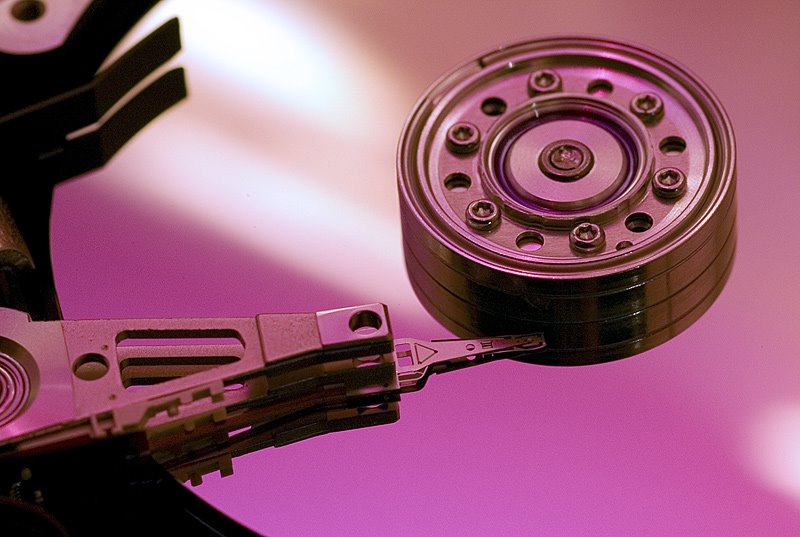
It’s the Game Hard drive in Amanda. The bearings are going. I’ve never had a hard drive fail on me, so this is new. No problem Amanda’s P160 ANTEC case has a hard rack. I pull the hard drive and thank GOD I had the sense to get the Western Digital drives with 3-year warranty. My theory to system design works like a charm. Separate drive for the three main functions: System Software, Games, and Media. If one drive fails the rest are OK.

I go to Neocomputers and I swap out the hard drive and get a new one. I love these guys! In less than 30 minutes, my new drive is up and running. Yeah, I could have paid to have the drive data restored and moved to the new drive, but it’s just game data. Do I really need my saved game of DOOM III I played on Easter Sunday? Nope!

Wednesday, April 05, 2006

Building the Perfect Beast: Addendum

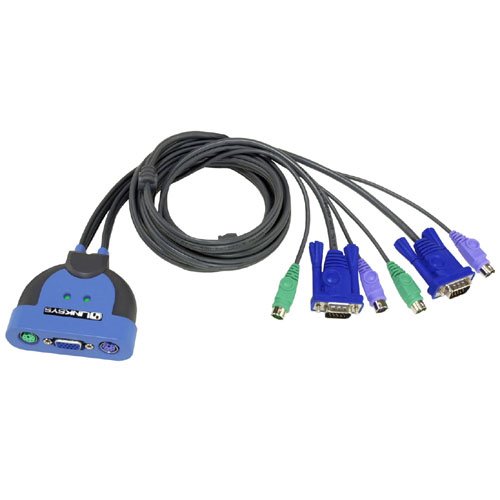
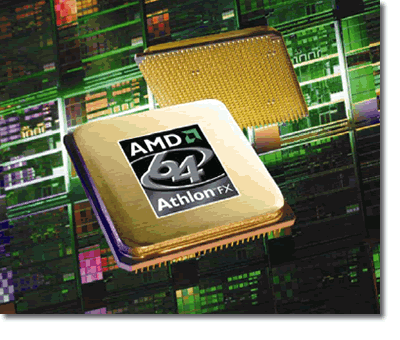
Let me introduce you to my new best friend on my computer desktop. This is the integrated KVM 2-port Switch by Linksys. If I had know this would work so well I might gone with the Athlon FX instead of the dual core. Just a tap on the scroll lock key lets me pop back and forth between Amanda and Antonia. I’m working on my taxes with Antonia, while I play WOW on Amanda.

Tuesday, March 21, 2006

Building the Perfect Beast; Epilogue

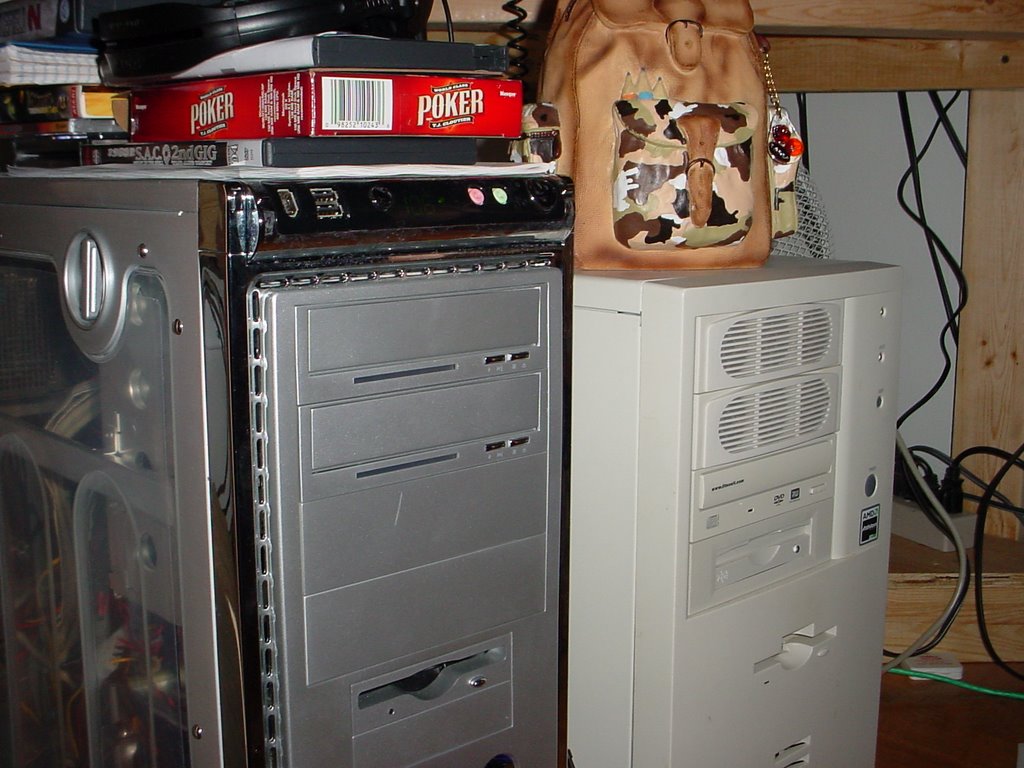
Well the beast is up and running. On a weird note, all my computers have names. A habit I picked up from the physics department. It really made sense after I bought my third computer. My commodore64 was named Celeste. My Amigas were name: Amy and Ana. The Macintoshes were named: Maxine, Celia (she was a Mac Centris 650), Paula (She was a Mac clone by Power Computing.) Then there are the PCs: Diane (DX486), Kathy (K6-AMD), Antonia (Athlon-AMD), etc. I won’t bore you with the rest but I think you get the picture. All the computers in my lab at the college are named after hurricanes and the printer are named after famous scientist: Feynman, Mendel, Copernicus, Fermi, and Newton. It just makes things easier on a network or keeping notes on upgrades. I a little behind in the naming part, with buying/building spurt I had over the last 16 months. I’m thinking Linda for the laptop, Gina and Jenna for the G4s, and the AMD dual Core needs a name. Suggestions anyone?

If you look careful at the picture you can see Antonia sister is running at 106 F. There are two temperature sensors in the case. Each one is attached to a graphics board. Playing World of Warcraft the temperature stay about 115 F. When I play F.E.A.R. The temperature tops out around 145 – 157 F. Work it girl!

I came across a neat book that talk about a lot of the same thing s I covered in this series. You might want to check it out for some fun reading: Build the Ultimate Gaming PC.

Wednesday, March 15, 2006

Building the Perfect Beast – Bell, whistle and other toys.

Now that we have the CPU, motherboard, and graphics card finished. Almost all the other choices are already decided. The above parts are the most expensive ones and the rest of my cash is going for little stuff. Hard drive prices are around $1 to 50 cents a gigabyte it seems silly to worry about cost now. I remember my first external SCSI drive of my Mac SE cost $525. That was a 20 MB hard drive and I thought that was huge! Now the sizes are so large and the drive so cheap you can pick a couple for $80 each just because you can. I’ve learned a few things building computer for my own use in the past few years, and I ‘m willing to share my person insights.

First you might think I brought a gaming hard drive, one of the really fast 10,000-rpm hard drives with 40 GB of memory. Nope. Those drive are nice, but most games I play the bottlenecks do not occur from getting information off the hard drive. I would think if I was playing or editing video off the drive that would be ideal, but I don’t have that problem. If I did use one of these drives I would make it a system core drive. I have found that having one drive complete dedicated to windows is the best way to go. The system core drive would also contain all the things like: drivers, updates, plug-ins, and application I uses everyday. All the caching happens on that drive, too. My theory is that all the system files on one drives speed up the daily task by a little bit. Games are on their own drive. Media files, pictures, mp3s, and video have their own drive too.

So the beast will have three drives: one 80 GB system core, 2 160 GB drives for Games and media files. The other advantages is if one drives goes bad, I can just pull the drive, wipe it or fix it while the other drives are unaffected. I suppose using a fast “game drive” as the system core would speed up things even more but I’m not spending four dollars a gigabyte for a smaller faster drive.

All the drives are Western Digital, because of the 8 - 16 MB of cache each drive has and the three-year warranty. Beside the hard drives, I need to add a few things beside just the now unless floppy drive.

On the optical side of the beast are two drives. The first one is a DVD-/+RW drive with LightscribeTM. LightscribeTM is that cool technology that let you write labels using the drive’s laser. I burn a lot of CDs and DVDs, but my labeling scheme leaves something to be desired. I figure all the stuff I really want to keep, I’ll put on a LightscribeTM disc and make a descent label. That way all my CD for my car aren’t label Booty Mix I, Booty Mix II, Booty Mix III…you get the picture. The thing that is just amazing is how little theses drives now cost, and the light scribe feature was just $10 than the going rate on a normal DVD burner. I’ve also added a CD-/+RW drive too. CD burner drives are so cheap now, why not added a second drive.

Now I know Blu-ray is coming out, but I can wait until the standard really takes off. They just started releasing games on DVD.

I guess this is pretty much it. The Breast should tide me over for the next couple of years, unless Cyberdyne comes out with the neural network chip.

(Note: This post is a little overdue. I have a confession to make. Two weeks ago I final got my teaching bonus cash for this semester. I order the parts, build the system, and now she sit next to my other PC. OMG! This is so cool! I will take pictures and put them in a later post.)

Wednesday, March 01, 2006

Building the Perfect Beast: The Graphics Card

The Graphics card has three main functions: Drawing and Shading all those pixels, moving the data as fast as possible, and crunching numbers for all those cool transforms and texture. Anything the graphics card can do is one less thing the CPU has to worry about. Have a good graphic card and good motherboard to provide a decent pipeline (bandwidth) save you from having to upgrade everything else for a while. My ADM Thunderbird along with an ATI Radeon Graphics Card has been giving me the performance so I can play games to normally require a 2GHz Pentium. Having extra memory helps too, but that’s another post. I’ve been an ATI man for a while, but that has changed since most of the games I like to play recommend the Nvidia chipset. Although I have had good performance from my ATI cards, they can be such a pain in the ass sometimes, when you need to update drivers or reconfigure the graphics. I could bore you with megapixels per seconds, triangles per clock cycle or polygons per fortnight. But all of that is bullshit. It all comes down to one number; IMHO, it’s frames per second (fps). The more you ask your graphics card to do the lower the fps will be.

But, first a refresher course on what FPS is and what it means. The human eye has a delay/refresh time of about 1/16th of a second. That means every image you see hangs around in your awareness for about 1/16th of a second. Any motion that is faster that you don’t really see. Your mind sort blurs the images together to make sense out of what is going on. This allows filmmakers and animators to make a very good living. All films, movies, and video games work on the idea of page flipping a single frame. By you a set of image that are all slightly different and flipping them past you really, your brain put the set of images together as motion. In case of some digital media only the pixels that change from frame to frame are changed. Imagine a white box moving across a black screen, the only pixel that have to change are the pixels where the box was and the pixels to where the box is going to. The black background where the box is not doesn’t have to change at all. Even my commodore 64 could do that very easily. So easily that the C64 would have to be slowed down with a delay loop so the box shows up on the screen, instead of “ghosting” across the screen. I digress. So what is a good frame rate?

Most Saturday morning cartoons have a frame rate from 13-16 frames per second. Any lower and the frame rates make the cartoon look “jerky”. Most movies in the theater are 24-36 frames per second, at that rate everything appears to run smoothly. You can have higher frame rates but unless you are try to do slow motion film there is no point. Shooting something at 10,000 frames a second then showing the same film at 16 frames a second really stretches out the action. I once saw a film that was 10 minutes long of someone blinking her eye. You can sort of see why film and computer animation fit so nicely together. Once again, I digress. So what is a good frame rate for a game?

Most gamers agree you want something around 40 to 60 frames a second. Any slower and you start compromising gameplay. Even if you have a wicked fast processor a graphics card is a must. Try playing Unreal Tournament 2004, Doom III, or Far Cry with just software rendering the screen and watch your frame rates go through the floor. Even a $50 graphics card will help you out. So everything boils down to frame rate the better the card the higher the frame rate will be. Any card can give you a thousand of frames a second if all you are doing is moving the box in the previous example. The true test of a graphics card is the frame rate when it is rendering a FPS and it’s making the shadow of the bullets show in the water as you shoot across a lake. A good graphics card should give you frame rates around 100 to 200 frames per second. It doesn’t matter you can’t see that, the overhead is used as a buffer. When you turn on shadows, ripples, transparent and shading effects you want the card to still be able to give you that 40 to 60 frames a second frame rate.

Most FPS games have an option for showing the frame rate. Try this: Open your favorite game, turn on the option for frame rate, find a place with lots of different features (Water, trees, bullets, building, moving figures), and now spin. Just turn around in a circle, doing the 360 degrees pan as fast as you can. Notice anything? A low-end card will take a noticeable hit in frame rate. Even mid-range cards with have a dip in performance. Any card can render a still scene well, but it takes a great card to do motion. A great card doing still motion is even better. The graphics look like you reach out and feel the texture. So what did I choice?

My weapon of choice is an EVGA’s e-GeForce 7800 GT. This card was not my first choice I wanted the GT bigger brother the GTX. The difference is about one hundred dollars per board, but you only get about 5 percent speed boost in performance. I couldn‘t quite bring myself to say, “Kids, it bread and water for the next three months, because mommy has to pick up some extra cash by working the bus station. We all have to pitch in to get daddy the games he needs.” You can check the specs yourself, but the main treat behind this board is the SLI capability. You can run two of theses board in tandem. Each helping the other, and the best part is your software doesn’t have to know about it. In most case you get a 78% speed boost over a single card, or a frame rate of 150-200 depending on the game and features you are running. You can see a comparison between a GT, a GTX, and a GT in SLI mode: Here. Plus this card is a PCI-Express. This increases the data bandwidth between the card and the rest of the system. Even if you bought an $800 512 MB graphics card, it wouldn’t be the same because you have only one data bus. The SLI give you almost twice as much data bandwidth. Add the PCI-x option and the cards smoke. As with life you don’t get something for nothing. Theses two bastards need power, lots of power.

One of the options I added to the beast was Antec NeoHE 550 Watt power supply. The power supply has special connector for powering both boards. If you have been paying attention about have my power budget goes to the CPU and these two graphics cards. LOL, my microwave is only 1100 Watts.

Next week: Bells and Whistles – Drives, Memory, and other toys.

Saturday, February 25, 2006

Building the Perfect Beast: The CPU

After I post this I suspect interest will die off, because after the CPU choice, what’s the point? Actually, there are a lot of really good parts left, so stay tuned. You can have a great processor and still have a crappy machine. There are a several bottlenecks in each system that holds it back. I’ve been going around and around with this choice in my head for quite awhile. True I want a game machine that flies, but I also burn CD, DVDs, work with mp3s, make movies and run work applications. So I had to strike a balance. For PCs, you only really have to choices Intel or AMD. Intel makes good stable chips and when used with an Intel motherboard you get rock stable performance. There is a downside, Intel chips run hotter and use more power. Intel still keeps pushing clock cycles as the selling point, with speed between 3.7-4.0 Ghz. Which is going to bite them in the butt one day. (Isn’t physics a bitch.) AMD processors use less power and run cooler, but you really have to look at the labels. AMD CPUs run between 1.7 to 2.8 GHz, but the packages are labeled with numbers between 1400 and 4800. An AMD 4400 at 2.4 Ghz process runs like a Intel CPU running at 4.4 Ghz, at least that what AMD wants you to believe. I’m current running an AMD Athlon Thunderbird 1400, so anything is an upgrade. I’ve been looking at AMD and Intel Product site for months. Finding information is like pulling teeth from a gator. Both companies like to only compare their processors to the other models in their class, which is almost useless. Enter my new favorite geek site: Tom’s Hardware. This site has CPU, Video Cards and Hard Drive comparisons. I decided to stick with AMD. I‘ve been banging my head about three choices: AMD Athlon 64 4000+ ($350), AMD 64 X2 4800 Dual Core ($700), and AMD 64 FX – 55 ($900). All the processors are 64-bit and are at least 4 times faster than my Thunderbird. The AMD FX is AMD’s premier gaming processor and kick the crap out of games. The X2 is AMD’s “Dual Core” line. Each chip has two 64-bit processors on a single die. They are smaller that the single chip processor, but the work in tandem. They can even run two applications side-by-side, one on each chip. All the AMD chips multitask, but the X2 line does a better job. I thought about the 4000+, but if I’m going to do this as might I well pull out all the stops. So I drop that choice form the running. After talking with my friends at Neocomputers, I heard AMD is going to drop their prices at the end of this month, when AMD brings out a new line of Processor. After checking today, AMD now ship a FX-60 Dual-Core for $1300 OK, after I wet my pants, I thought about how much time I would be in the doghouse for blowing $1300 on something the size of a large postage stamp. The cost would destroy my budget as well.

After some debate I settled on the AMD 64 X2 “Dual Core” 4800. Although the FX is for gamers, the X2 is just 1-4% slower in games and kick ass doing regular applications. Check out the benchmarks on Tom’s Hardware: DOOM III and Multitasking II test.

As I said earlier, a great processor can run like a dog with bad support components. Once you pick a CPU your choices for motherboards narrow greatly. I need something that supports dual core, but also has PCI-Express, good drive support, and SLI support. Yes, I want the two graphics cards! Asus makes great boards and so does Gigabyte, but only the ASUS A8N SLI Deluxe does everything I want for $200 bucks.

Next Week: Graphics!

Saturday, February 18, 2006

Building the Perfect Beast: The Case

This summer I’m upgrading my gaming PC. If you have never built a computer you should try. I would suggest starting with a simple system, something just for surfing the Internet or checking mail. If you are careful you can build something for under $400. Don’t build a system to save money. It doesn’t work. You can go to any Computer/ Electronic store and buy something for the same $400, with all the bells, whistle, free printer and monitor. Why do this? Most of the off-the-shelf systems are a compromise of price and performance, hardware and software, all the pieces working together as one unit. The System is the best the manufacturer can put together in that price range. There are some options for customizing your system, add a hard drive, more memory, and maybe add a card or two. After doing that things start to go wrong, your system power supply may not be large enough, or the new system software and drivers won’t talk to your hardware, and after a crash the system restore disk requires the original hardware to be there to fully restore your computer. Most off-the-shelf systems also have a finite useful lifetime, usually 18 months to 36 months. Unless you are playing solitaire your system requirements will not keep up with the new software (games) coming out. If you are just word processing, emailing and surfing the web, you can ignore the rest of this post.

Building your own system means you know every component in your computer. You now have some options, and you can always upgrade. Instead of buying a new computer I just upgrade a component. I usually spent $50 to $200 a year per part. The system I fly now has the same case from 1999. I’ve gone through three power supplies, added 4 hard drive (20 GB, 30 GB, and 2 80 GB drives), two motherboard upgrades, several optical drives (A DVD -/+ RW is the current drive), 2 CPU upgrades, and several video cards. These replacement and upgrade were not because something was broken, but rather tweaks to a system so I can squeeze every bit of performance out of my deck. Of course now I have a basement full of parts.

Several things have happened, that building a completely new system makes sense: 64-bit CPU are now cheaper, motherboards now have PCI-express slots for the fastest graphics card, most motherboards now integrate most of the mundane function found on PCI cards, also the new motherboards support SATA, RAID and allow for better cooling options.

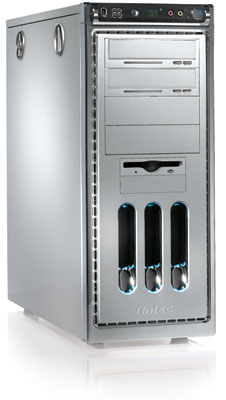
I going to built this system piece by piece, buying each piece about every two weeks. The first thing is the case. It has to be a tower, so I have enough room to cram all the cool stuff in it. It’s not a server case, because I want access to the drives without having to open the front panel. Here are the stats for you techno junkies out there.

Manufacturer: ANTEC
Model: P160
Weight: 16 lb(s)

Description
There are plenty of ways to experience mind-numbing performance. You could strap on a jet and blaze across the sky. Or you could just grab our new P160. Carved from supremely strong anodized aluminum — the same stuff fighter pilots swear by — our whisper-quiet case boasts 10 drive bays, a swiveling control panel, and a low-speed 120mm fan. So get a P160. And experience the kind of performance usually reserved for our folks in blue.

- Stylish, durable 1.2mm anodized aluminum
- Swiveling front control panel
- Swivels up to 45 degrees.
- Connectors: 2 x USB 2.0, 1 x IEEE 1394 (FireWire, i.Link) and 2 x audio jacks.
- LED temperature display with two built-in sensors
- Removable motherboard tray.
- Accommodates any ATX12V power supply
- 10 drive bays
- Color-coordinated CD-ROM & floppy drive covers
a. 4 external 5.25"
b. 2 external 3.5"
c. 4 internal 3.5"
- Rubber mounting grommets in hard drive trays
- Cooling capacity:
a: 1 x 120mm low speed fan
b: 1 x 120mm fan mount
- Fan Specs:
.RPM: 1600
.CFM: 56.13
.dB(A): 28
- Built-in washable air filter
- Removable Side Panel
- Fits motherboards up to Standard ATX

Saturday, February 04, 2006

Computer Repair
Ok, I’ve been busy. For the past two weeks it has been me just ordering my world. After seeing a show on wireless security and get my new IBook, I’ve been on a mission. I spent the last half in my winter vacation, pulling wire, checking software, running cables, and revamping my own network at home. Then kitchen’s computer starts acting funny and I have to fix that. The school starts up and all the stuff I planned to do over the break never seems to get done. The computer in the physics lab need work too, so one more thing to do. I don’t mind pulling boards and build machine from scratch, but it does start to wear on you. Trying to get one computer to run can be a task, getting several of them to talk to each other is a nightmare. This is especially true if you have mixed platforms and different OS trying to play nice together. Then I have to find drivers for some of the new toys I found, or getting some old piece of software to run all every machine.

Some people work on cars, others knit, some even breed dogs for a pastime. For me, it’s fresh electronic equipment. Nothing beat a hit off a freshly open box from some Asian factory.

Just sold one of my G4 today. It’s like selling your children. I hate letting go of any piece of computing equipment. All my machine are in wonderful working order, but I’d be lucky to get $25 for any of them. I can’t think of anything that doesn’t hold it’s value worse than a computer. How can something be in perfect working order and still be useless? My Power Macintosh G4 400 MHZ was sold at $1600 in 1999 and a just sold it for $400 with a lot of extras. I should learn this lesson: sell your system before it gets too out of date and no one wants it.

Which bring me to my next topic. I need to start build my next generation PC Gaming System. Graphic boards have made another jump from AGP 8X to PCI EXPRESS. I heard ATI has stopped making AGP boards! Over this next 6 months I start buying components and blogging my progress on construction.

I have a few other posts I’ve been working on. Fair warming they may be TMI. So if you have doubts about your sexuality and really don’t want to know what that black guy next to you has been thinking, flee now.